
GetOrders: Order Retrieval
The getOrders method sends back all the orders matching the filter defined in your entry parameters. *Note: *The response is limited to the 200 most recent orders by result page (although in the response, the orders are not listed in chronological order), it can be necessary to go through several pages to retrieve the full amount of orders you want. Orders retrieval is one of the most frequent requests. This method has no mandatory parameter. If no parameter is specified, all the orders are sent in response. It is nevertheless recommended that you define the date filters (date of sale or payment) proposed by this method in order to retrieve, for example, the orders that have been paid during a given period of time. The getOrders response is a list of order lines (an order can contain several order lines). The most important information is:- OrderID
- OrderLineID
- ShippingAddress
- Pixmania: payment date not timestamped + title not given (Mr, Mrs, Ms…)
- eBay:
- Buyer’s first name and surname are concatenated in a unique field
- eBay orders are returned as Not Paid until eBay confirms the sending
of the payment by the buyer. In the case the order is paid in cash, the
merchand is free to register it as Paid. - Priceminister: generic mail sent to all buyers
<ns1:AdditionalFields>With regard to additional fields, the ArrayOfAdditionalFields parameter allows you to fetch this information for your orders.
<ns1:Name>xyz</ns1:Name>
<ns1:Value>abc</ns1:Value>
</ns1:AdditionalFields>
- WarehouseId
- WarehouseStock
- WarehouseName
Results of the method: List of MarketPlaceOrder elements:
MarketPlaceAddress data type description
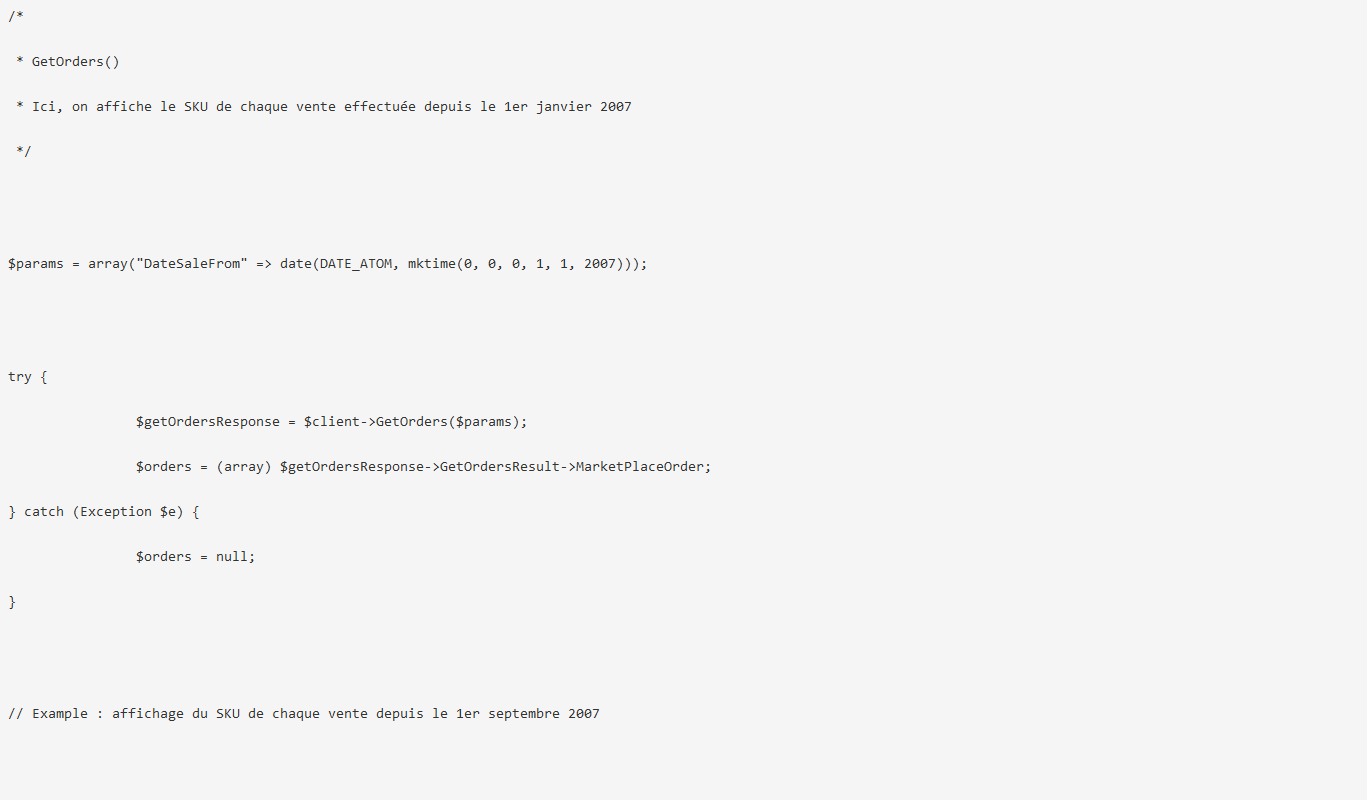
Extract from a PHP5 script: Execution of a getOrders request to display the SKU of the products ordered

PostOrders: Order Update
The postOrders method allows the status of the different orders to be updated and additional information such as the tracking number or the shipping date to be sent. To cancel, validate or confirm the shipping of an order or order line, you just have to do a postOrder with the following information for each order or order line:- Neteven order ID or order line ID
- The corresponding status
- Possible further information.
– On all the other live marketplaces, only that order line will be updated – as our webservices always wait for a value when a tag is used in your
request, they will reply with an error if you use a tag without value. – Only the status “Shipped” allows a PostOrders call to update those MarketPlaceOrder elements used for a shipping confirmation : DateShipping
TrackingInfo
TrackingNumber
OrderLineTrackingURL – Sometimes the string value of a URL that you provide in one of the following MarketPlaceOrder elements, can contain at least one special meta-character for example like ”&” that will trigger a response from our webservices with the error code “400 Bad Request” and blocks the processing of your Postorder : OrderLineTrackingURL
ReturnTrackingUrl
DocumentURL
OrderLineDocumentURL This is because a special meta-character is interpreted as XML code by default.
In this case to avoid the error response “400 Bad Request” and make sure your PostOrder request is processed successfully, we advise you to always encapsulate the string value of your URL with the
<![CDATA[...]]> tag which declares this value as a full string without code.
So for example, your would have this data for the element OrderLineTrackingURL in your request :
For orders that have to be validated (for example, orders from PriceMinister which has become Rakuten), it is mandatory to do two distinct requests (a request to validate the order and a request to confirm the shipping). In the case of a shipping confirmation:
- The call to this method automatically triggers an update on the concerned marketplaces.
- If no shipping date is specified the date of your request will be considered as the shipping date.
- It is possible to specify an amount to refund with the field “AmountToRefund” (without this field, the total amount will be refunded by including the shipping cost).
List of Information expected for a postOrder
Results
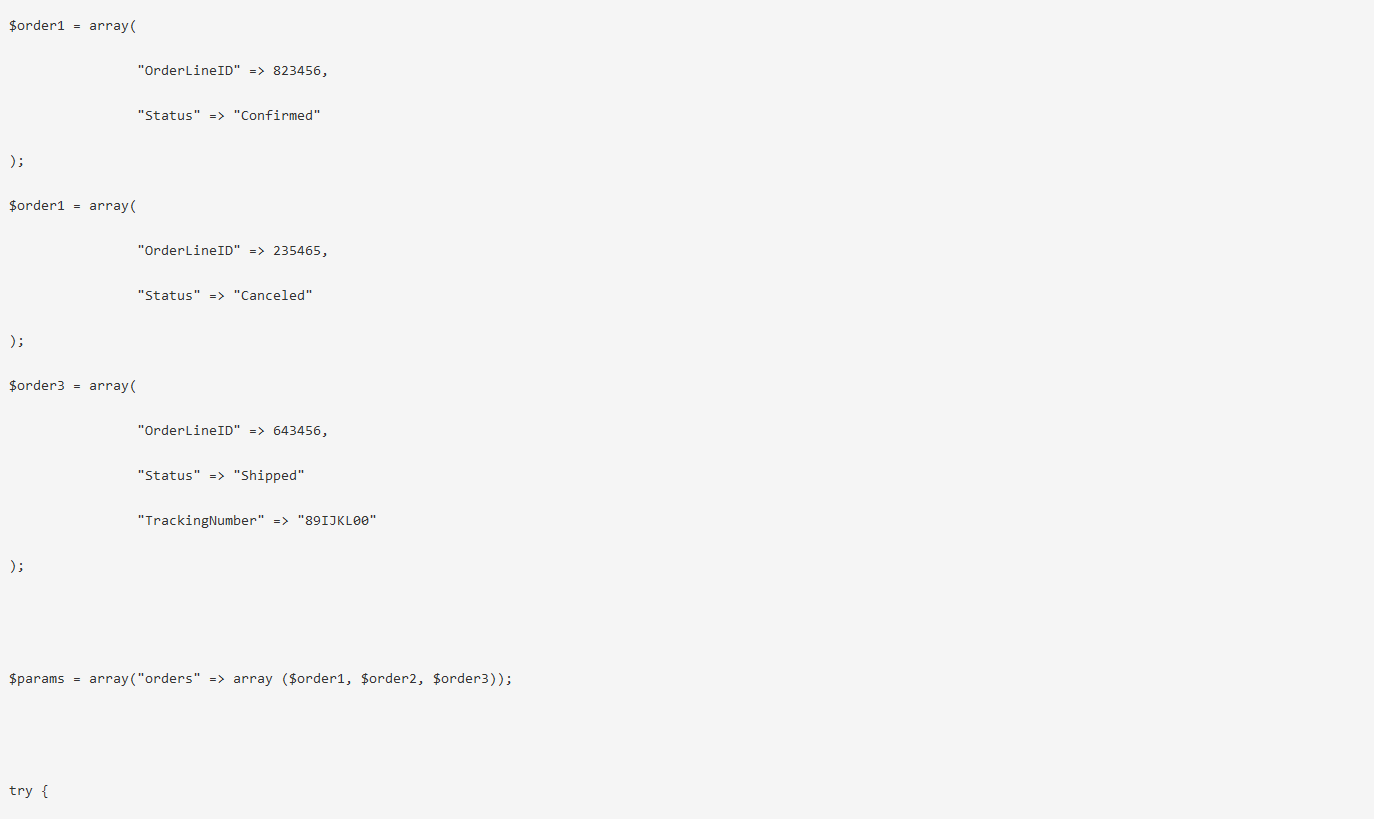
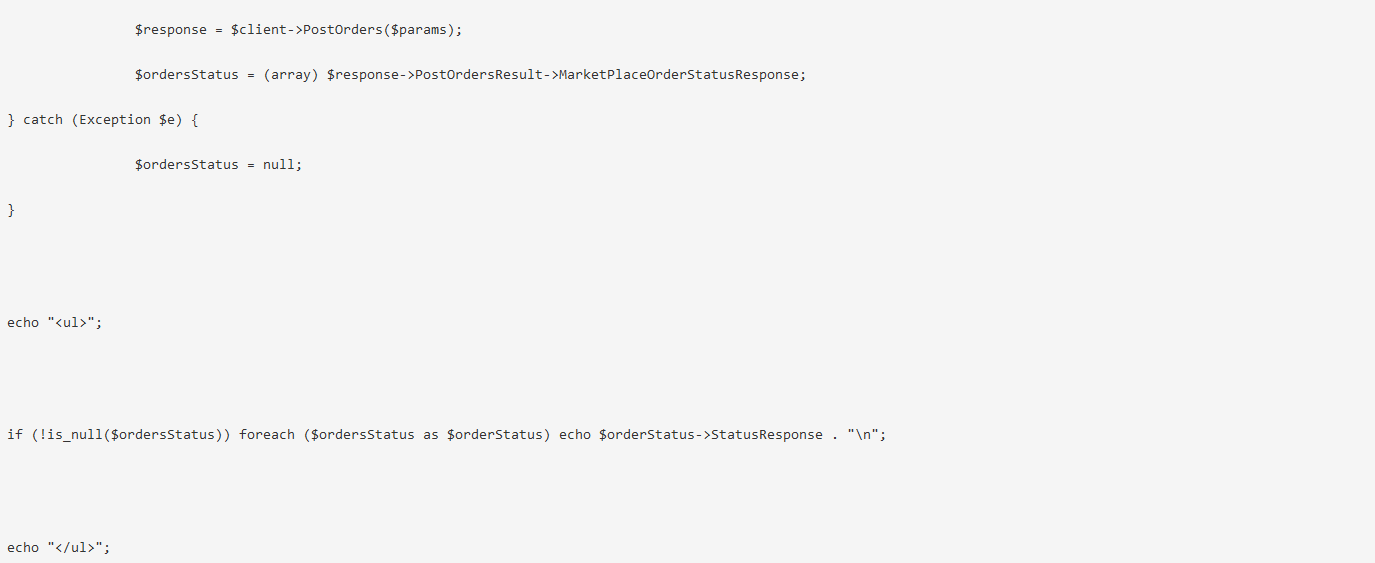
Extract of a PHP5 script: Execution of a postOrders request to validate, cancel and confirm expedition of 3 orders